AP product walkthrough
Volca AP · Job costing
Vendor invoices in. Accurate job costs out.
The workflow from vendor inbox to ServiceTitan job cost, pricebook action, and general ledger.
One controlled AP pipe
Human review where confidence drops
ServiceTitan stays the operating spine
Use arrow keys, space, or the controls to advance
01 · Capture and identify
The workflow starts in the inbox.
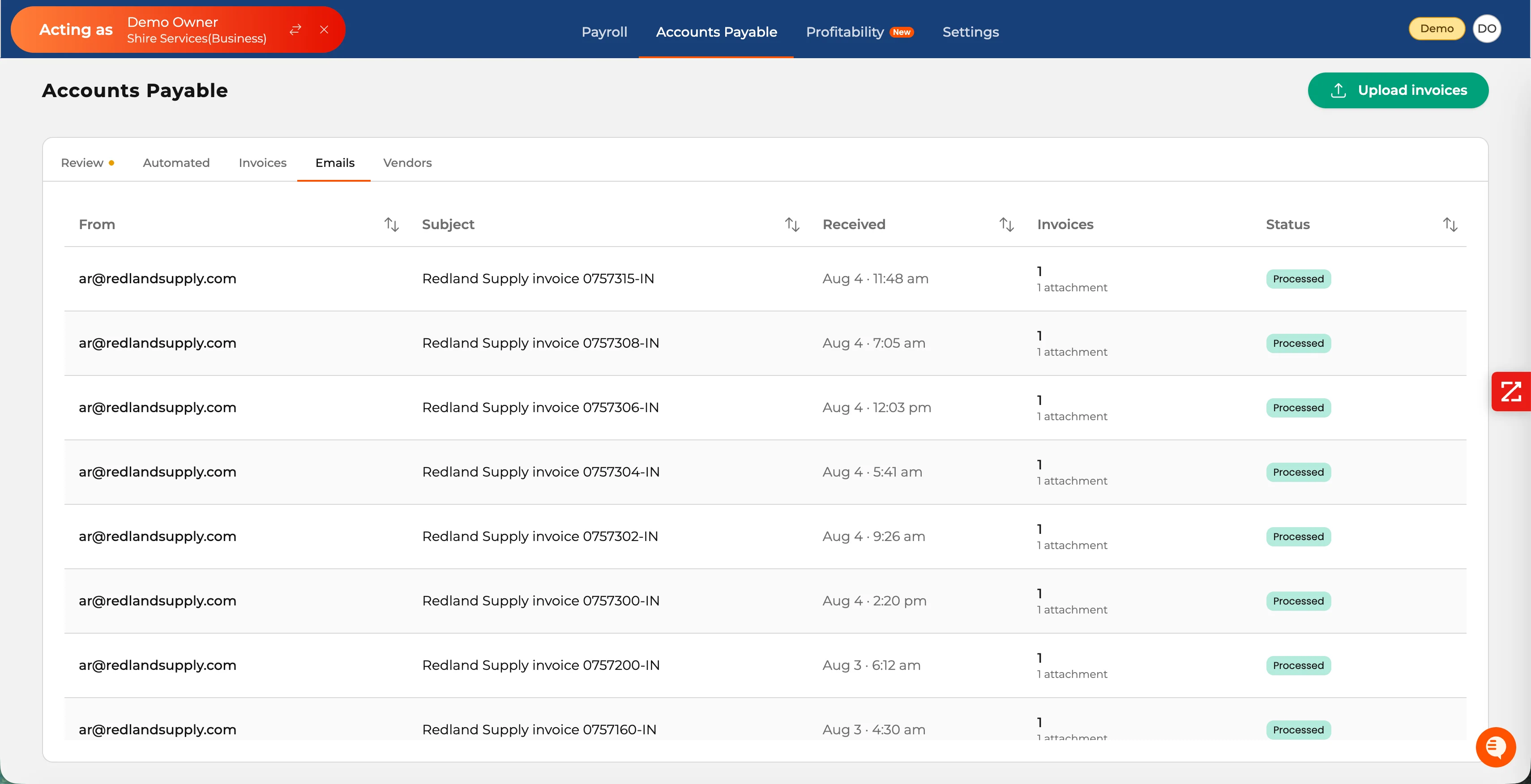
Vendors keep sending invoices the way they already do. Volca converts each email and attachment into a tracked record, then reuses vendor identity on future work.
- One Volca address can receive invoices from every vendor.
- Emails preserve sender, subject, time, attachments, and processing status.
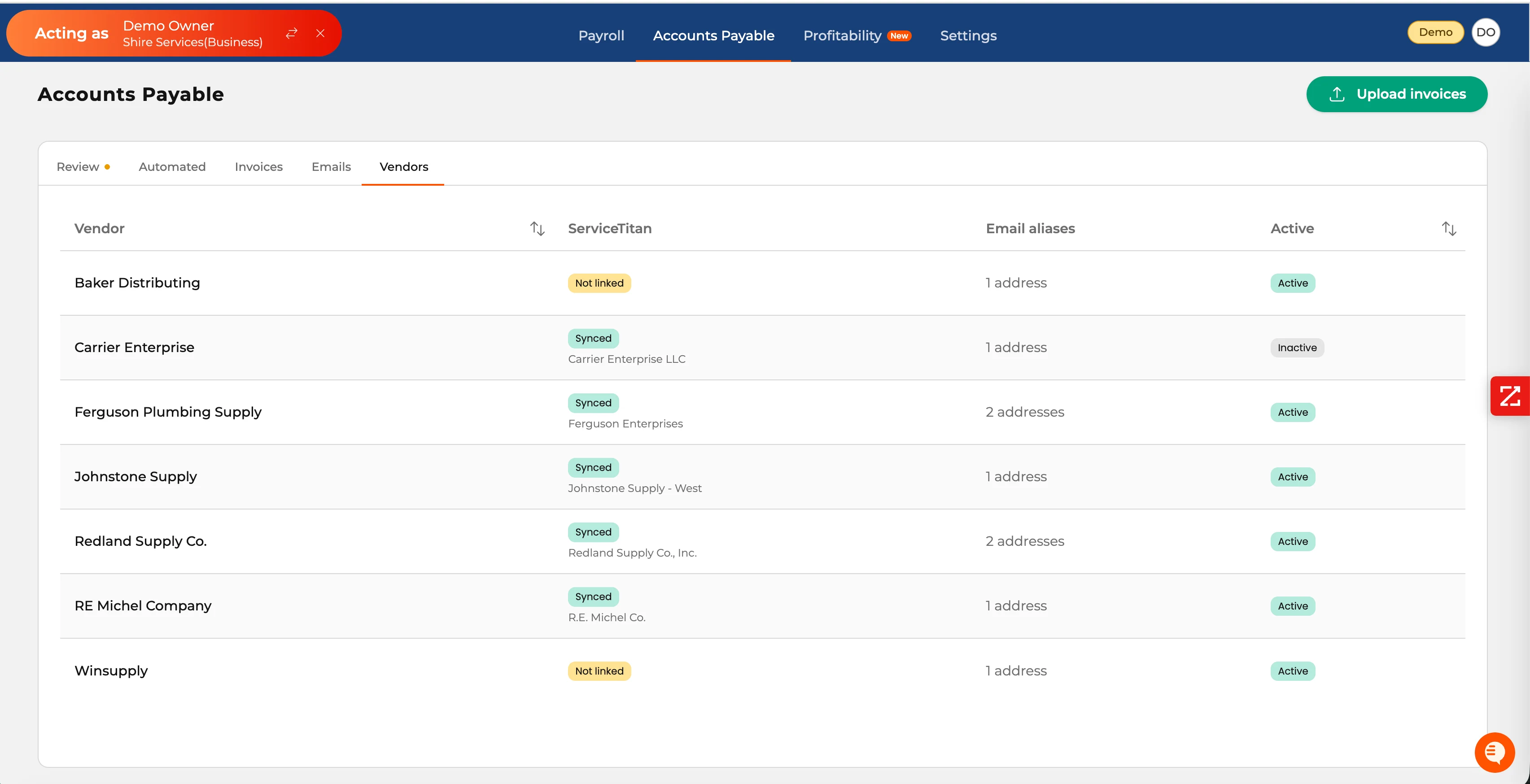
- Vendor aliases connect to the matching ServiceTitan vendor.
- Teams can see which vendors are synced, not linked, active, or paused.
02 · Parse and match
Every invoice gets a visible state.
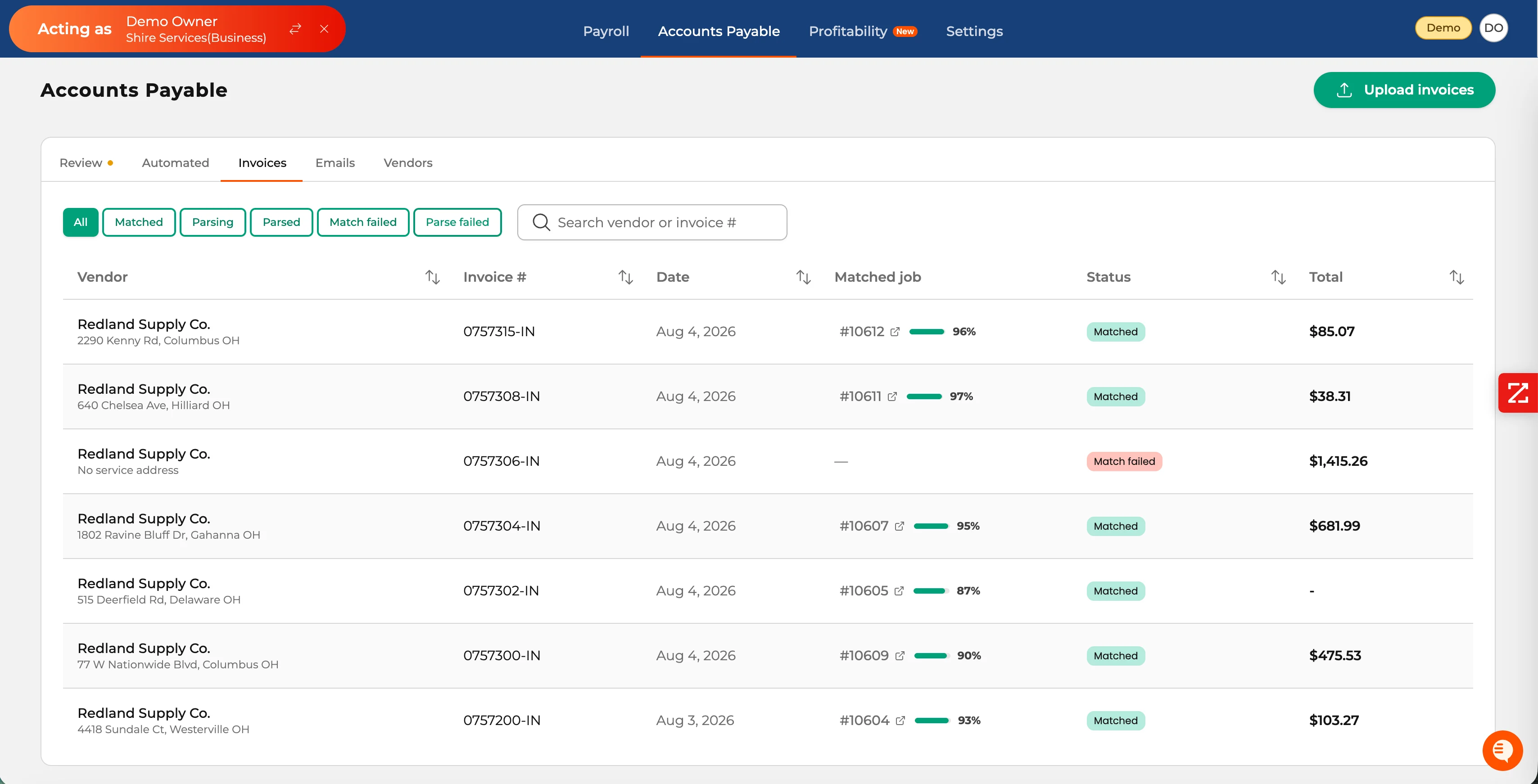
Volca reads the invoice, identifies the job, and shows finance exactly what parsed, matched, or failed.
- Extract vendor, invoice number, date, total, PO context, equipment, materials, and unit costs.
- Use PO context and vendor history to find the ServiceTitan job.
- Expose match confidence instead of hiding uncertainty.
- Filter parsing, parsed, matched, match-failed, and parse-failed records.
03 · Review
Confidence controls what needs human review.
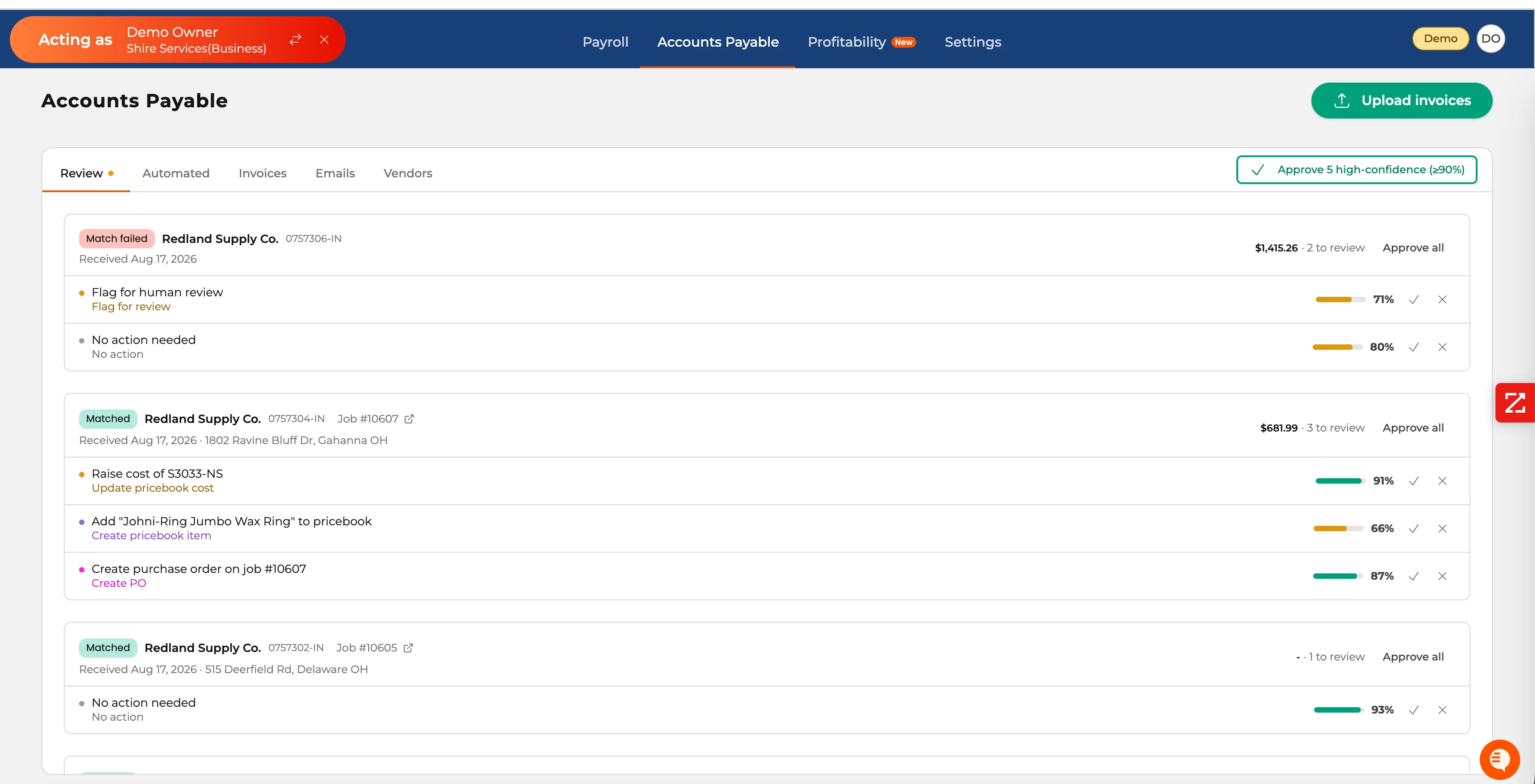
The Review queue is the control point. High-confidence work can move together while uncertain actions stop for a person.
- Each proposed action carries its own confidence score.
- High-confidence actions at or above the configured threshold can be approved in bulk.
- A failed match can stop for review instead of posting to the wrong job.
- Users can approve, reject, or leave an action untouched.
04 · Apply and sync
One invoice can repair several records.
Approved work moves to the Automated ledger, then through ServiceTitan to QuickBooks Online or Sage Intacct with job-cost detail intact.
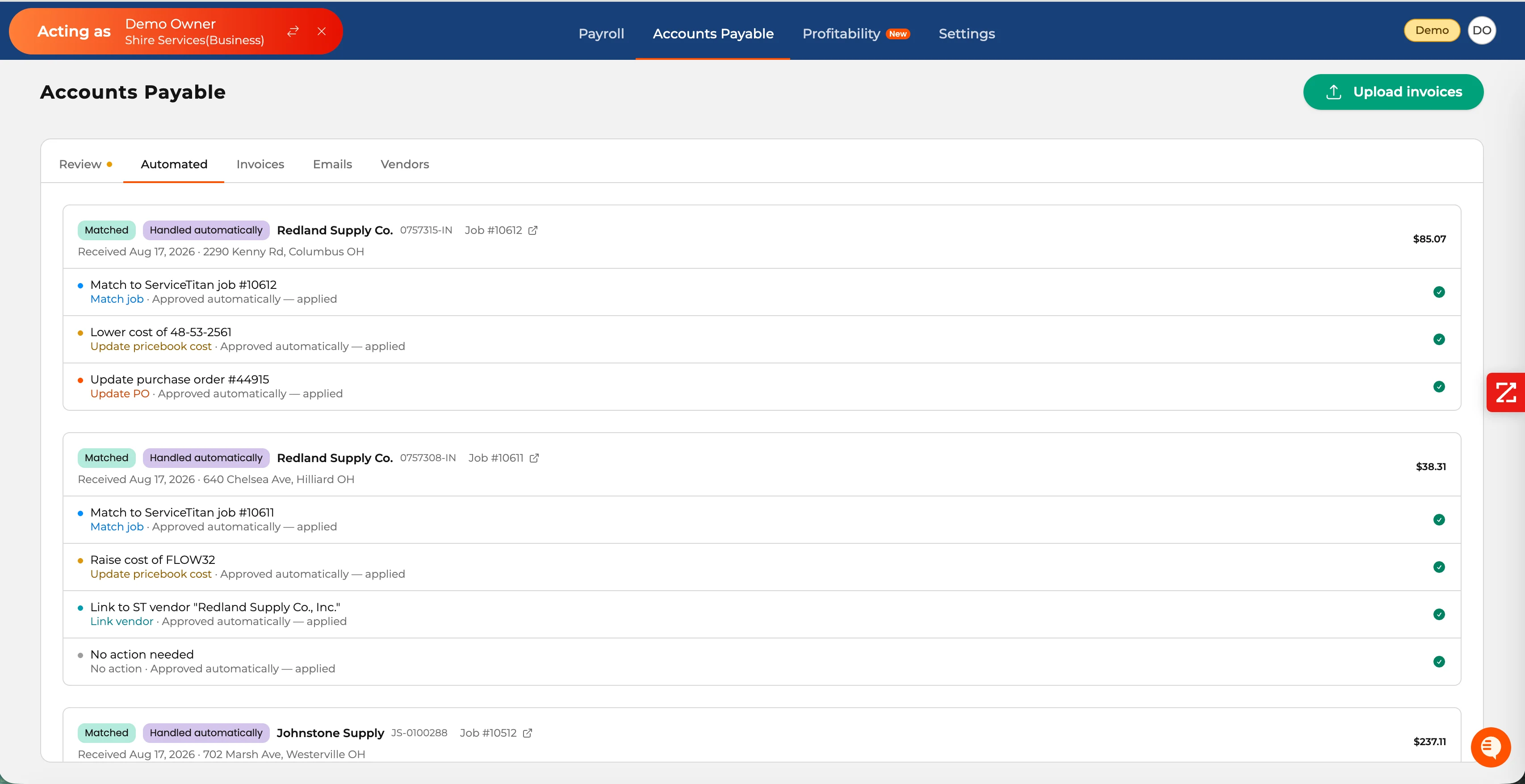
- Match the ServiceTitan job and link the vendor.
- Raise or lower a pricebook cost, or create a missing item.
- Create or update PO context when needed.
- Keep every applied action attached to the source invoice.
VendorVolcaServiceTitanGL